
How to Get Your Product Indexed for a Keyword on Amazon
Indexation is binary and it's the prerequisite for every other Amazon SEO tactic — here's how to check it in sixty seconds and fix it when it's broken.
There is no such thing as ranking badly for a keyword you aren't indexed for. You either exist in Amazon's index for that term or you're invisible, and no amount of bidding, listing polish or A+ content changes that.
It's the cheapest check in Amazon SEO and the most commonly skipped. We regularly audit accounts spending five figures a month on advertising that aren't indexed for two or three of their most important terms.
How to check indexation in 60 seconds
Type the exact keyword plus your ASIN into the Amazon search bar:
collagen peptides unflavored B01ABCDEFG
If your product appears, you're indexed for that phrase. If nothing comes back, you're not.
Two rules for doing this properly. Use the customer-facing storefront in the marketplace you're checking, not Seller Central, and check the exact phrase you care about — indexation for "collagen peptides" does not guarantee indexation for "collagen peptides unflavored".
For a handful of head terms this manual check is all you need. If you're validating hundreds of keywords across a catalogue, index-checker tools automate this same query.
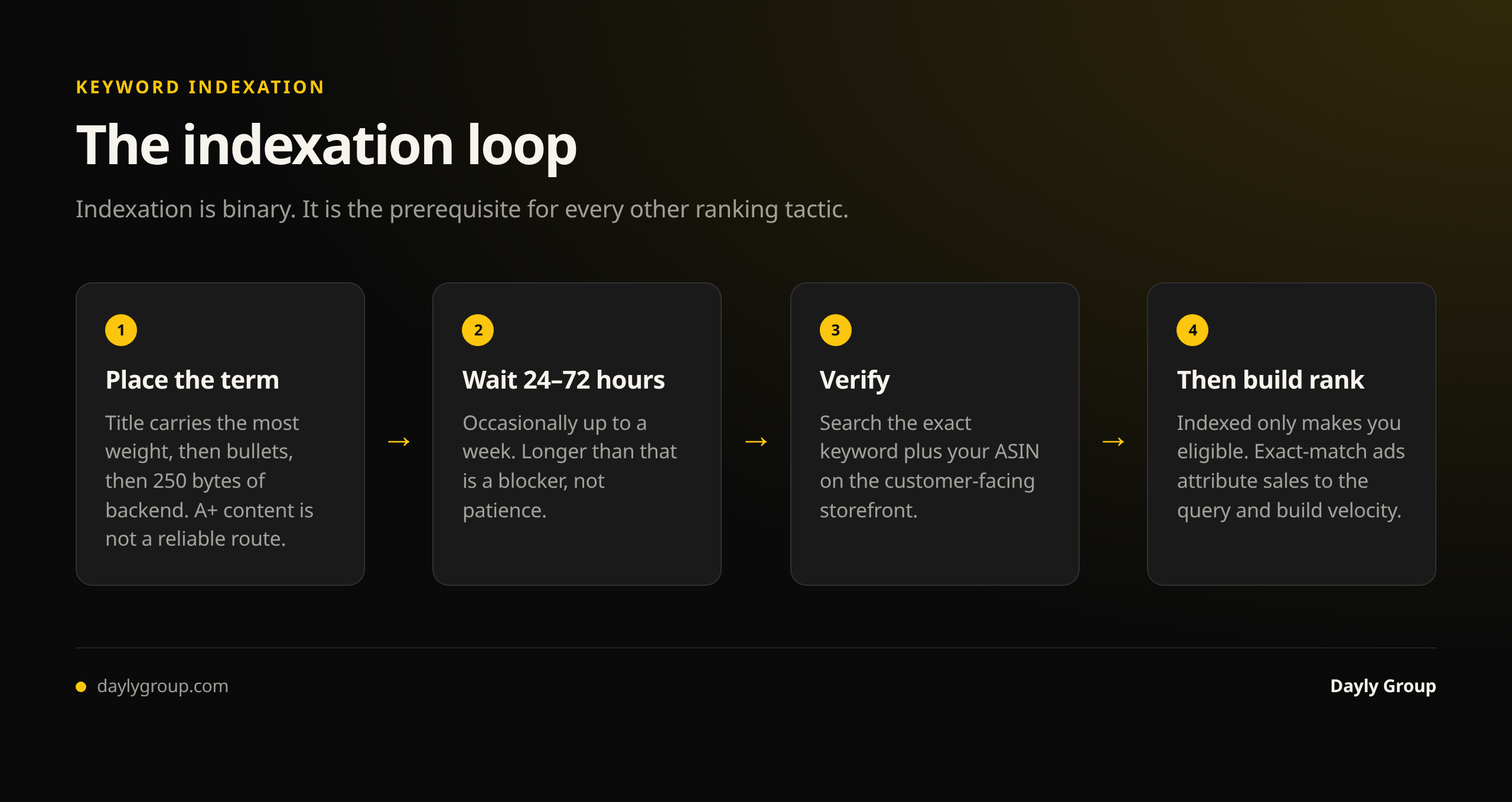
Where keywords need to live to get indexed
Amazon indexes text from several fields, weighted differently:
Title — the heaviest weight. A term in the title is indexed reliably and ranks more readily.
Bullet points — indexed, meaningful weight, and read by buyers, so this text has to work twice.
Backend search terms — 250 bytes, invisible to buyers, indexed. This is where terms go that you can't fit into readable copy: synonyms, alternative spellings, non-English variants relevant to your marketplace.
A+ content — largely not indexed for search. Excellent for conversion, unreliable for indexation. Never rely on A+ to carry a keyword.
Other fields — subject matter, product description, and attribute fields carry some weight and are worth completing, but they're not where you place a term you need.
Notably not indexed: image alt text is often claimed to be indexed for search. Treat it as accessibility and conversion support, not as an indexation route for a term that matters.
The 250-byte rule that breaks most backends
Backend search terms are limited to 250 bytes, not characters. Exceed it and Amazon may ignore the entire field — not just the overflow. This silently de-indexes everything you put there, which is exactly the kind of failure that produces "we added the keyword and nothing happened".
Rules that keep it working:
- No repetition. Words already in your title or bullets are indexed. Repeating them wastes bytes and adds nothing.
- No commas needed. Single spaces are enough. Commas consume bytes.
- No punctuation, no ALL CAPS, no quotation marks.
- Singular or plural, not both. Amazon handles the variation.
- No brand names you don't own, no competitor terms, no misspellings of your own brand.
- No subjective claims — "best", "cheapest", "number one".
Note that non-ASCII characters consume more than one byte each, so accented characters and non-Latin scripts eat the limit faster than they appear to.
How long indexation takes
Usually 24 to 72 hours after the listing update goes live. Sometimes within hours; occasionally up to a week during high-volume periods.
If a term still isn't indexed after a week, it isn't a patience problem. Work through the causes below.
Why a keyword won't index
The listing is incomplete or suppressed. Check for missing required attributes or an active suppression. Suppressed listings don't index reliably.
The backend field overflowed. See above. Cut it back under 250 bytes and resubmit.
A prohibited character or claim. One violation can cause the whole field to be dropped.
The term is genuinely irrelevant. Amazon will resist indexing a term that doesn't match your product's category and attributes. If you sell dog beds, you will not index for "cat tree" no matter where you put it — and pursuing it is wasted effort anyway, because it wouldn't convert.
A flat-file upload blanked the field. The most common cause in larger catalogues. A partial upload that omits a column can clear it entirely. Always verify after bulk changes.
Variation family changes. Splitting or merging a family can reset child attributes and drop indexation with them.
Restricted or gated claims. Health, safety and compliance-sensitive language may be filtered in some categories.
Indexed but not ranking — a different problem
Being indexed makes you eligible. It doesn't make you competitive. If you're indexed and sitting at position 60, what you need now is relevance and velocity: sales on that term, click-through, and conversion.
The practical route is to run an exact-match campaign on the keyword. Sales attributed to that query teach Amazon you're a relevant result, which is how new rank gets built. The organic rank guide covers the mechanics, and the listing optimization guide covers the on-page work.
The habit worth building
Check indexation on your top 10–15 terms monthly, and always after any listing change or bulk upload. It takes five minutes and it prevents the single most expensive silent failure in Amazon SEO — optimizing, bidding and reporting on a keyword you were never eligible for.
FAQ
Q: How do I check if my product is indexed for a keyword on Amazon? A: Search the exact keyword followed by your ASIN in the Amazon search bar on the customer-facing storefront. If your product appears, you're indexed for that phrase; if nothing returns, you're not. Check the exact phrase you care about — being indexed for a two-word term doesn't mean you're indexed for a three-word variant of it.
Q: How long does it take for Amazon to index a new keyword? A: Normally 24 to 72 hours after the change is live, occasionally up to a week in busy periods. If a term still isn't indexed after seven days, something is blocking it — usually a backend field over the 250-byte limit, a suppressed or incomplete listing, a prohibited character, or a term Amazon considers irrelevant to your category.
Q: Where should I put keywords so Amazon indexes them? A: Title first (heaviest weight), then bullet points, then backend search terms for anything that can't sit in readable copy. A+ content is not a reliable indexation route — it's a conversion asset. Never place a keyword you need to rank for only in A+ content or image alt text.
Q: Why isn't my keyword indexing even though it's in my backend search terms? A: The most likely cause is that the field exceeds 250 bytes, in which case Amazon may ignore all of it rather than just the overflow. Other causes are a prohibited character or subjective claim in the field, a flat-file upload that blanked the column, a suppressed listing, or a term too far from your product's category for Amazon to accept.
Q: I'm indexed for a keyword but not ranking — what now? A: Indexation makes you eligible; rank requires relevance and sales velocity on that specific query. Run an exact-match ad campaign on the term so conversions get attributed to it, and make sure the listing converts once shoppers arrive. Rank on a new term is built from accumulated sales history, so expect weeks rather than days.
Keep reading
Book a free Gap Analysis. We'll tell you what's leaking, what's scaling, and where the next 30% lives.
Book a Gap Analysis →