
Amazon Listing Optimization: The Complete Guide to Ranking and Converting in 2026
Learn how to optimize your Amazon listings to rank higher, convert better, and outpace competitors — from title structure to A+ content.
Most Amazon sellers are leaving 20–40% of their revenue on the table — not because their product is wrong, but because their listing is doing half a job. After auditing 300+ Amazon accounts, the pattern is almost always the same: good product, weak presentation, and a listing that wasn't built with the algorithm and the buyer in mind simultaneously.
This guide covers what actually moves the needle in 2026.
What is Amazon listing optimization?
Amazon listing optimization is the process of structuring a product page — title, bullets, backend search terms, images, and A+ content — so that it both ranks for the searches your buyers actually use and converts the traffic it earns. Those two jobs pull in different directions, which is why so many listings do one and not the other: keyword-stuffed pages that rank and don't sell, or beautiful pages nobody finds.
Done properly it is not a one-off task. It's a loop: research the terms, build the page around the highest-intent ones, verify Amazon has indexed you for them, then measure conversion and iterate.
How to optimize an Amazon listing: the 8 steps
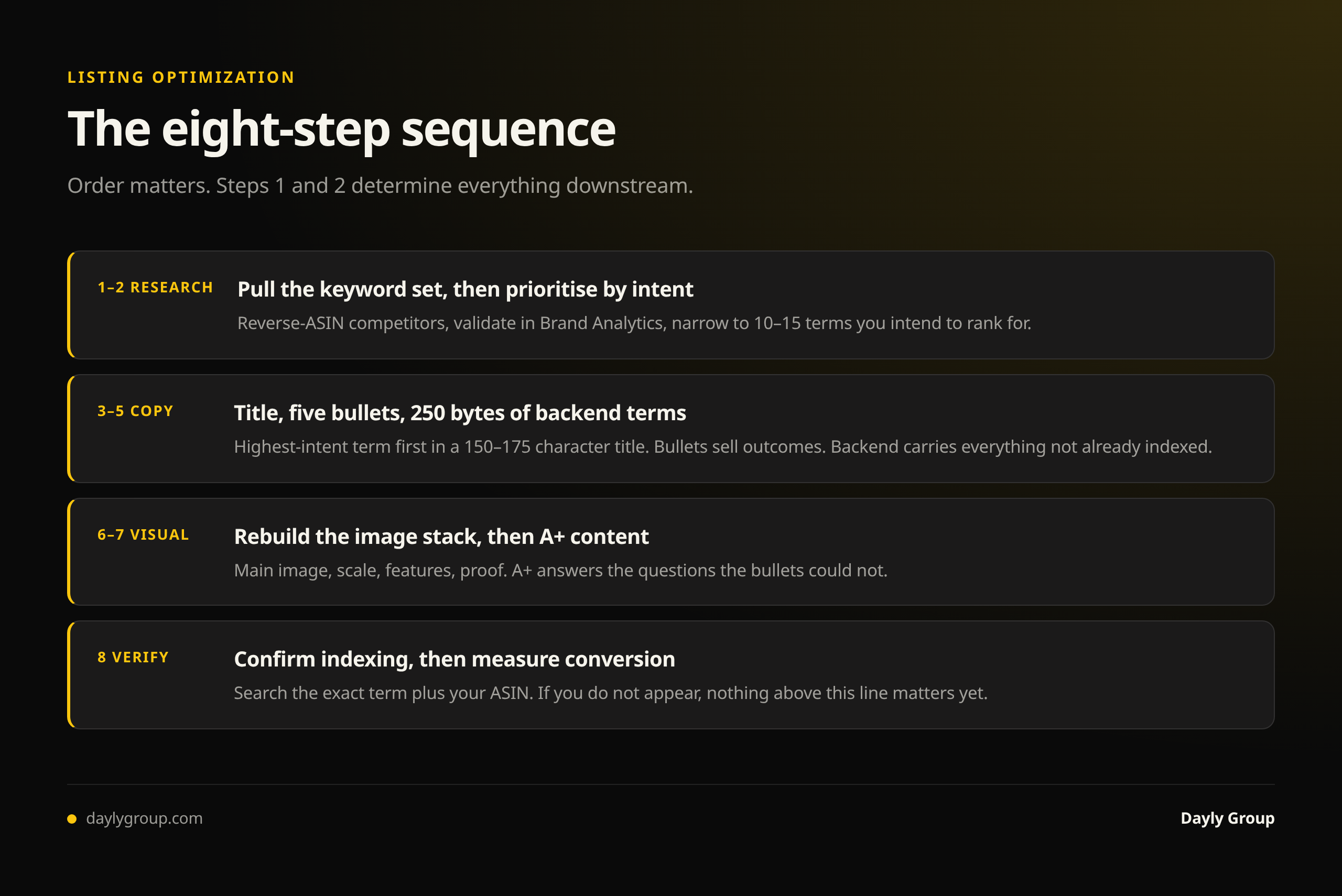
If you want the short version before the detail, this is the order we run it in on client accounts. Order matters — steps 1 and 2 determine everything downstream.
- Pull the keyword set. Reverse-ASIN your closest competitors, then validate against Brand Analytics and your own search term report. Full method in the keyword research guide.
- Prioritize by intent, not volume. Pick 10–15 terms you intend to rank for. A listing built to serve fifty keywords serves none.
- Write the title around your highest-intent exact-match term, 150–175 characters.
- Write five bullets as benefits with proof, each handling one objection.
- Fill 250 bytes of backend terms with everything not already in the title or bullets.
- Rebuild the image stack — main image, then scale, features, and proof.
- Add A+ content that answers the questions the bullets couldn't.
- Verify indexing, then measure. Search your exact term plus your ASIN. If you don't appear, nothing else in this list matters yet.
Why Most Listings Underperform
The fundamental mistake is treating listing optimization as a one-time task. Amazon's A9/A10 algorithm is continuously re-ranking based on conversion rate, click-through rate, and sales velocity. A listing that ranked well 18 months ago may be bleeding impressions today because competitors iterated and you didn't.
The second mistake is confusing keyword stuffing with keyword strategy. Relevance matters more than density. Amazon's algorithm is sophisticated enough to penalize incoherent text that reads like a keyword dump — and so are buyers.
Fix those two mindsets first. Then execute the following.
Title Optimization: Where the Algorithm and the Buyer Both Start
Your title is weighted more heavily than any other on-page element. It determines whether you appear in a search, and it's the first thing a buyer reads when they click through.
Character limit: Amazon allows up to 200 characters for most categories, but the sweet spot is 150–175. Going over doesn't help you — it often truncates awkwardly on mobile, where over 60% of Amazon traffic originates.
Structure that works:
[Brand] + [Primary Keyword] + [Key Attribute] + [Use Case or Differentiator] + [Size/Pack/Variant]
Lead with your highest-volume exact-match keyword. Use pipes (|) or dashes to separate logical segments — not just for readability, but because Amazon's parser treats these as phrase boundaries. Avoid ALL CAPS (it looks spammy and Amazon can suppress listings for it). Do not put promotional language like "best" or "#1" in the title — that's a policy violation and a trust signal killer.
Example of a weak title: "Amazing Collagen Peptides Powder Supplement Great for Skin Hair Nails Joints 16oz"
Example of a strong title: "Vital Proteins Collagen Peptides Powder — Unflavored, Grass-Fed, 20g Protein | Skin, Hair & Joint Support | 16 oz (28 Servings)"
The second version is indexable, readable, mobile-friendly, and communicates differentiation without violating policy.
Bullet Points That Actually Sell
Five bullet points. Most sellers use them to list features. The ones winning conversions use them to sell outcomes.
The framework: Benefit headline → Feature proof → Reassurance
Your first bullet should lead with the buyer's primary desired outcome — not what the product is, but what it does for them. Every bullet after that should address a specific objection or desire in priority order (second-most-important benefit, third, and so on). Save the last bullet for trust signals: certifications, guarantees, compatibility, or safety claims.
Keep bullets between 150–250 characters each. Shorter than that and you're not selling. Longer and buyers scan past them.
Never use bullets to repeat your title. That's wasted real estate.
Backend Keywords: The Invisible Layer Most Sellers Get Wrong
Amazon gives you 250 bytes of backend search terms (in Seller Central, not visible to buyers). Most sellers fill this with duplicates of their title keywords or leave it mostly empty. Both are a waste.
Rules for backend keywords:
- No repetition of words already in your title or bullets (they're already indexed)
- Separate terms with spaces, not commas
- Include misspellings, alternate spellings, and synonyms buyers actually use
- Add complementary use-case terms (e.g., if you sell a gym bag, include "gym locker accessories" or "workout gear organizer")
- Think multilingual if your customer base warrants it — Spanish-language search terms are indexed and often under-competed
You have 250 bytes, not characters — special characters consume more. Keep it clean and maximize every byte.
A+ Content: The Conversion Rate Lever You're Underusing
A+ Content (formerly Enhanced Brand Content) is available to brand-registered sellers and it consistently lifts conversion rates by 3–10% when done right. That's not a small number — on a listing doing $50K/month, a 5% lift is $2,500 in incremental revenue with zero additional ad spend.
What A+ Content actually does: it fills the space below the fold where undecided buyers go before they either purchase or leave. Done well, it answers the questions that the bullets didn't fully address, builds brand trust, and handles objections visually.
What works in 2026:
- Comparison charts if you have multiple SKUs (drives attachment rate within your brand)
- Lifestyle imagery that shows the product in use, not just on white
- Specific, data-backed claims ("clinically tested," "lab certified," specific percentages)
- Benefit-first copy, not feature-first
What doesn't work: generic brand story paragraphs that don't connect to the buyer's decision, stock imagery that could belong to any product, and walls of text with no visual hierarchy.
Premium A+ (available to sellers with 5+ approved A+ projects) adds video modules and interactive comparison carousels — worth pursuing if you're at scale.
Images and the Visual Hierarchy Buyers Follow
Before a buyer reads a single word of your listing, they've already formed an opinion based on your image stack. Eye-tracking studies consistently show that buyers scan the image carousel first, then the title, then the price — and only engage with bullets and A+ content if the first two cleared the bar.
Main image: Must be on white background per Amazon policy. But "meets policy" and "converts" are different bars. Your main image should show the full product clearly, at the largest possible size within the frame, with no added text or lifestyle elements.
Images 2–4: This is your first real selling opportunity. Use them to show scale, key features, and the product in context. Image 2 should typically be a lifestyle or in-use shot. Images 3 and 4 can highlight specific features with callout text overlaid (clear, high-contrast, mobile-readable).
Image 5–7: Use these for proof — certifications, third-party testing, ingredient callouts, before/after, comparison charts. These images are doing objection-handling work.
Video: If you have it, prioritize it. Video thumbnails show in the image carousel and consistently outperform static images for engagement. A 30–60 second product demo or explainer is enough.
One underused tactic: optimize your image alt text in Seller Central. It's indexed by Amazon's search algorithm and is worth 30 minutes of your time.
The Compounding Effect
Listing optimization isn't a standalone lever — it amplifies everything else. Better conversion rate means your Amazon PPC management spend works harder (lower ACoS, higher ROAS). Better organic rank from improved click and conversion signals means less reliance on paid traffic over time. It's the foundation that every other growth tactic builds on.
If you're running ads before your listing converts, you're paying to drive traffic to a leaky funnel.
If you want to see exactly where your listing is leaving money on the table — title structure, keyword gaps, image hierarchy, A+ coverage — that's the kind of work we do inside full account management. We've done it across 300+ accounts. The gaps are usually the same, and they're fixable.
Start with your listing. Fix the foundation. Everything compounds from there.
For how answer engines read listing copy, see Amazon Rufus and AI search optimization.
FAQ
Q: How do I optimize my Amazon listing? A: Work in order: pull a keyword set from competitor reverse-ASIN plus your own Brand Analytics and search term report, narrow it to 10–15 high-intent terms, then build the title (150–175 characters, highest-intent term first), five benefit-led bullets, 250 bytes of non-duplicate backend terms, and an image stack that shows scale, features and proof. Finish by confirming Amazon has indexed you for your target terms, then measure conversion rate and iterate.
Q: What is Amazon listing optimization? A: It's structuring a product page so it both ranks for the searches buyers use and converts the traffic it earns. It covers title, bullet points, backend search terms, images, video and A+ content — and because Amazon continuously re-ranks on click-through and conversion signals, it's an ongoing loop rather than a one-time task.
Q: What are Amazon title optimization best practices? A: Lead with your highest-volume exact-match keyword, stay between 150 and 175 characters, and follow the structure brand + primary keyword + key attribute + use case + size or variant. Use pipes or dashes as phrase boundaries, avoid ALL CAPS, and never use promotional claims like "best" or "#1" — that's a policy violation that can get a listing suppressed.
Q: How do I get my product noticed on Amazon? A: Being noticed is two separate problems. First, indexation and rank — you cannot be seen for a term Amazon hasn't indexed you for, so verify that before anything else. Second, click-through — once you appear in results, your main image, price, review count and title decide whether anyone clicks. If your impressions are high and your click share is low, the problem is your main image, not your keywords.
Q: How long does it take to see results from listing optimization? A: Conversion-rate changes show within days, because they depend on buyer behavior on the page. Ranking changes take longer — typically two to six weeks — because Amazon needs to accumulate enough click and conversion data at the new setup to re-rank you. Don't judge a listing rewrite in the first week.
Q: How do I find my competitors' keywords on Amazon? A: Use a reverse-ASIN tool (Helium 10's Cerebro is the strongest) on your five to ten closest competitors, then filter to terms where several of them rank in the top 20 and you don't. That intersection is your priority list, because it's the category's own consensus about which terms matter. The keyword research guide walks through the whole sequence.
Keep reading
Book a free Gap Analysis. We'll tell you what's leaking, what's scaling, and where the next 30% lives.
Book a Gap Analysis →