The Best Amazon SEO Tools in 2026 (What We Actually Use to Move Rank)
Keyword tools find terms. Amazon SEO tools tell you whether you're indexed, where you rank, and why rank moved — three different jobs most brands try to do with one subscription.
Most "best Amazon SEO tools" lists are keyword tool lists with a different headline. That's a category error, and it's why brands buy a subscription and still can't answer the only three questions that matter for organic rank:
- Am I indexed for the terms I care about?
- Where do I rank for them, and is that moving?
- Why did it move — my listing, a competitor, a price change, or Amazon?
Keyword research is a separate job, done before this one, and covered in our keyword tools breakdown. This is about the tooling that actually moves and monitors rank once you know your terms.
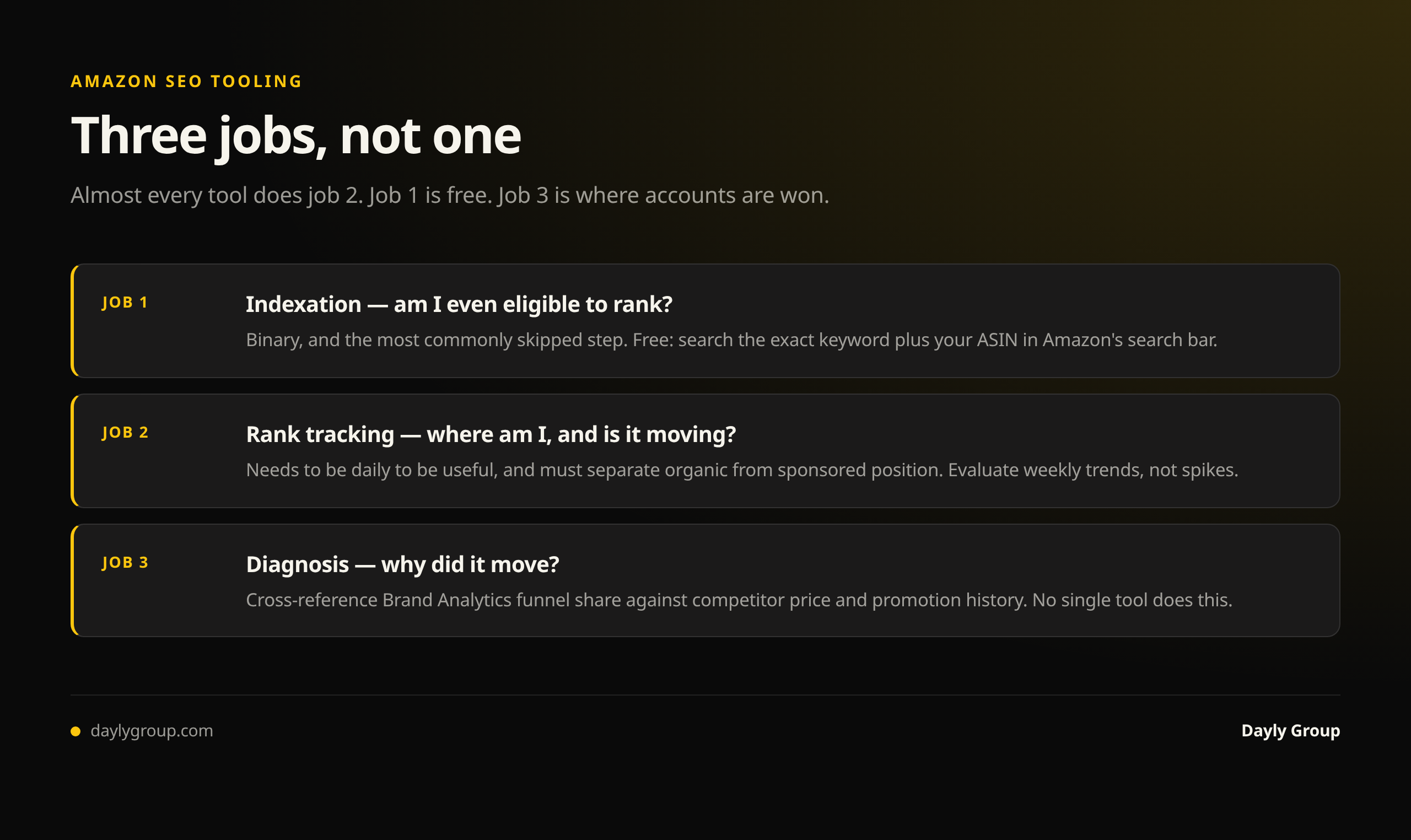
The three jobs, and what each requires
Indexation checking answers whether Amazon has associated your ASIN with a keyword at all. Binary, and the most commonly skipped step in Amazon SEO. You can spend a quarter optimizing for a term you were never indexed for.
Rank tracking answers where you sit in the results for a term, tracked over time. Needs to be daily to be useful, because Amazon rank is volatile and a single spot check tells you almost nothing.
Diagnosis answers why rank changed. This is the hard one, and no tool does it alone — it requires cross-referencing your own rank data against competitive events (price, promotions, reviews, stock) and against your funnel metrics.
Almost every tool on the market does job 2 competently. Job 1 is cheap and easy but has to be habitual. Job 3 is where accounts are actually won, and it's mostly judgment supported by two or three data sources.
1. Helium 10 Keyword Tracker — the rank tracking default
Job: rank tracking, daily, at scale.
Add your ASINs and target keywords and it tracks organic and sponsored position daily, with history. That history is the whole point: you need to see the shape of a change to reason about it, not a single number.
What earns it the spot: it separates organic from sponsored position. Brands routinely celebrate a rank improvement that was actually their own ad appearing in a different slot. Also tracks by marketplace, which matters if you run US and CA or EU.
Where it's weak: rank data is sampled, so expect small day-to-day variance that isn't real movement. Judge trends over a week, not spikes. And it will happily track hundreds of keywords, which tempts you into monitoring noise instead of the 10–15 terms that carry your revenue.
2. Amazon's own search results — the free indexation check
Job: indexation, and it costs nothing.
Search your exact keyword plus your ASIN in the Amazon search bar. If your product appears, you're indexed for that term. If it doesn't, you're invisible for it and no amount of listing polish will change that until it's fixed.
That's it. No subscription, works in seconds, and it's the single highest-value habit in Amazon SEO. Most tools that sell "index checkers" are automating this one query — useful at scale, unnecessary for a focused keyword set.
When you find you're not indexed, the usual causes are the term isn't in your listing or backend at all, a prohibited character or byte-limit overflow in your backend terms, a suppressed or incomplete listing, or the term being genuinely irrelevant to your category in Amazon's judgment.
3. Brand Analytics — Search Query Performance
Job: diagnosis. Free with Brand Registry.
Rank tells you where you are. Search Query Performance tells you what happens when shoppers get there — your impression share, click share and purchase share for each query, against the whole market.
This is what converts a rank number into a decision:
- Rank improved, impression share flat — you moved into a position that doesn't get seen. Common between positions 15 and 30.
- Impression share up, click share flat — you're visible and being passed over. Main image, price, reviews. Not an SEO problem.
- Click share up, purchase share flat — buyers arrive and leave. Listing content, price, reviews.
Without this, rank tracking is a vanity metric. It's also the report that stops you from optimizing a keyword you're already winning the visibility battle on and losing the conversion one.
4. Google Search Console — for your brand's off-Amazon surface
Job: the demand you don't see inside Amazon.
Worth including because Amazon-only brands are blind to it. If shoppers search your brand or category on Google before buying on Amazon, Search Console shows those queries, your positions, and what's actually being clicked. It's free, and it reveals category language your Amazon keyword tools won't surface because it never gets typed into Amazon.
5. Keepa — competitive event history
Job: diagnosis, cheaply.
When rank drops, the first question is what your competitors did. Keepa shows price, Buy Box, offer count and sales rank history for any ASIN in seconds. A competitor's rank spike two weeks ago is very often a promotion, a price cut, or a coupon — not a listing improvement you need to match.
Skipping this step is how brands end up rewriting a perfectly good listing to counter a temporary discount.
6. Data Dive — listing builds and gap analysis at scale
Job: turning keyword and rank data into a listing decision, across many ASINs.
Its value in an SEO workflow is keyword-weighted listing construction — building the title and bullet structure from data about what the category ranks for, rather than from opinion. For agencies and multi-ASIN catalogues it's the strongest option available. For a single-product seller it's overkill.
7. Amazon's Manage Your Experiments
Job: proving a change worked. Free.
Amazon's own split-testing tool, available to brand-registered sellers, lets you A/B test titles, main images and A+ content against real traffic. Since conversion rate is a direct ranking input, a test that lifts conversion is an SEO win with evidence attached rather than an assertion.
Underused because it needs sufficient traffic to reach significance and the interface is unremarkable. Still the only way to prove a listing change caused an improvement instead of coinciding with one.
The stack that actually works
Helium 10 for daily rank tracking on a deliberately short keyword list. Amazon's search bar for weekly indexation checks. Brand Analytics for funnel diagnosis. Keepa when something moves and you need to know what a competitor did. Manage Your Experiments to prove the wins. Data Dive if you're operating at catalogue scale.
Four of those six are free.
What no Amazon SEO tool will do
No tool will tell you that your rank problem is actually a review problem, or that your category has consolidated around a price point you can't meet, or that the term you're chasing converts badly for your product even at position 3. Tools produce numbers; the interpretation is the work, and it's why two brands with identical subscriptions get very different results.
If you want that interpretation on your account, see what we've done for other brands and book a Gap Analysis call. For the underlying mechanics of organic rank, start with the organic rank guide.
FAQ
Q: What are the best Amazon SEO tools? A: For rank tracking, Helium 10's Keyword Tracker. For indexation checking, Amazon's own search bar — free and instant. For diagnosing why rank moved, Brand Analytics Search Query Performance plus Keepa for competitor events. For listing builds at catalogue scale, Data Dive. And Manage Your Experiments to prove a change worked. Four of those are free.
Q: What's the difference between an Amazon SEO tool and an Amazon keyword tool? A: Keyword tools help you decide what to target — search volume, competitor keyword sets, term discovery. SEO tools tell you what happened after you targeted it: whether you're indexed, where you rank, whether that's moving, and why. Most lists conflate the two, which is why brands own a keyword subscription and still can't tell you if they're indexed.
Q: Is there a free Amazon SEO tool? A: Several, and they're among the best. Amazon's search bar is a complete indexation checker. Brand Analytics Search Query Performance gives real search volume and funnel share for brand-registered sellers. Manage Your Experiments runs split tests. Google Search Console covers off-Amazon demand. Together they cover indexation, diagnosis and validation at no cost — leaving only daily rank tracking to pay for.
Q: How do I check if my product is indexed for a keyword on Amazon? A: Type the exact keyword plus your ASIN into the Amazon search bar. If your product appears, you're indexed for that term; if not, you're invisible for it. Do this before any other optimization work, because ranking effort on a term you aren't indexed for is wasted.
Q: How often should I check my Amazon keyword rankings? A: Track daily, but evaluate weekly. Amazon rank data is sampled and genuinely volatile, so day-to-day movement of a few positions is usually noise. Look at the trend over seven to fourteen days before concluding anything, and keep the tracked list to the 10–15 terms that actually carry revenue rather than hundreds you'll never act on.
Keep reading
Book a free Gap Analysis. We'll tell you what's leaking, what's scaling, and where the next 30% lives.
Book a Gap Analysis →