
TikTok Shop Order Analysis: How to Trace GMV to Orders and Creators
TikTok Shop added Order Analysis inside AI Report in Seller Center. Here is what it shows at order and SKU level, how to run a first weekly review, and why it is not a settlement statement.
TikTok Shop added Order Analysis inside AI Report in Seller Center Analytics. For US local sellers, it sits in the October Compass feature roundup and ships with a dedicated Seller Guide dated October 21, 2026. The promise is simple: one configurable report that drills from summary GMV down to order and SKU rows, with order source, content type, and attribution fields in the same view.
That matters if you pay creators, run agency LIVE, or reconcile weekly numbers across Seller Center pages. Order Analysis can show whether an order came through your account or a creator, whether it rode LIVE, Video, or Product Card, and which Content ID or Creator ID sits on the row. TikTok is also clear about the limit: the report is for analysis and reconciliation, not a substitute for settlement statements or financial records.
What is Order Analysis in TikTok Shop?
Order Analysis is a report inside Seller Center > Analytics > AI Report. Final page names follow what Seller Center displays on your account. TikTok built it so shop operators, content operators, creator ops, and agencies can pull payment, refund, and attribution detail without hopping across pages.
The page has three parts:
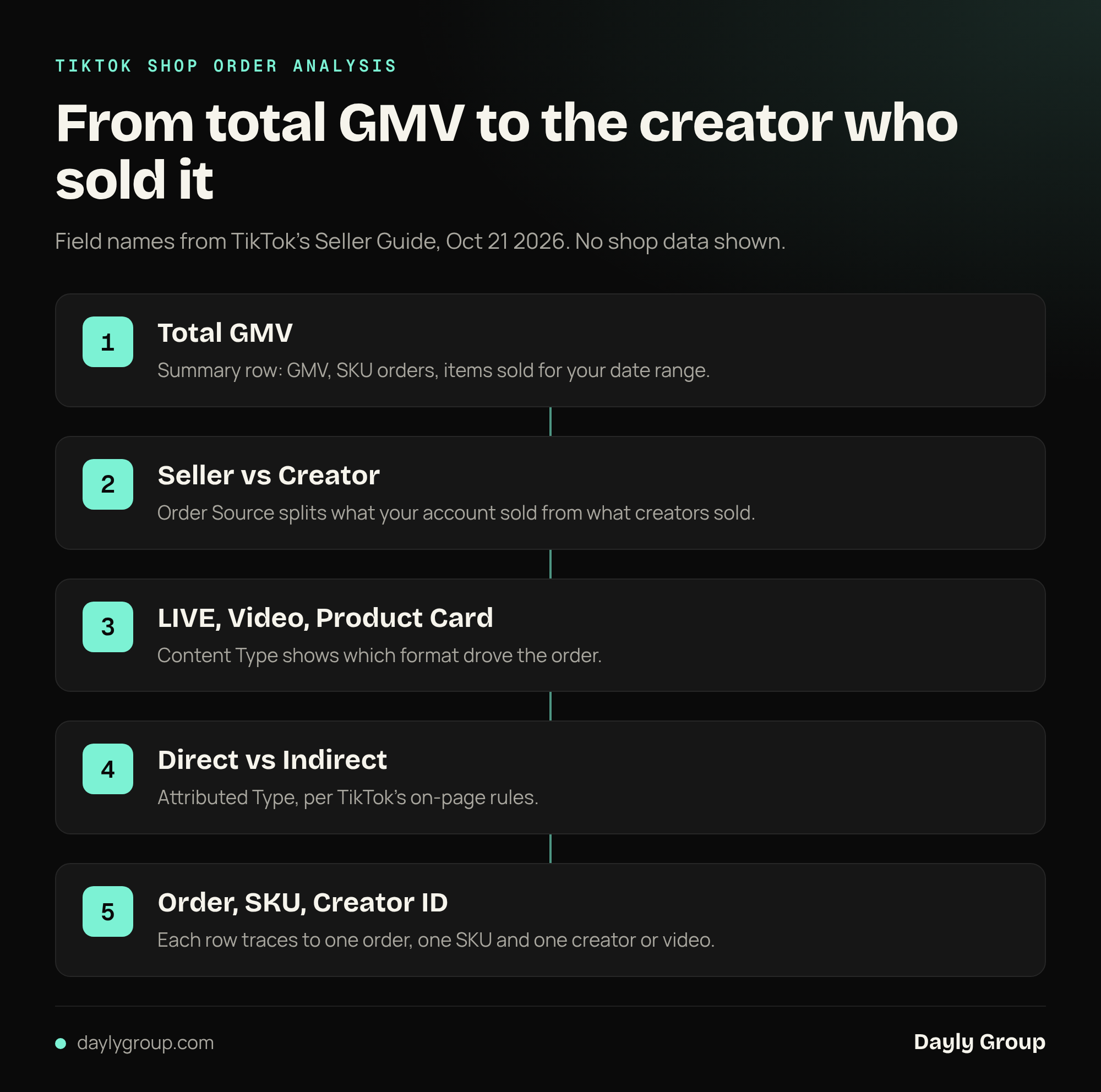
- Top summary. Default metrics include GMV, SKU orders, and items sold for the selected date range.
- Middle detail table. Order- and SKU-level rows. Breakdown fields sit on the left; measures sit on the right, with totals at the bottom.
- Right-side configuration. Metrics to show, Details, and Breakdown control which measures, attributes, and dimensions appear.
Available fields can vary by version, region, account permissions, and the combinations you pick. Always trust the on-page list over any third-party write-up, including this one.
Which fields matter first?
Start with the definitions TikTok lists in the Seller Guide. These are the ones that turn a summary number into a row you can check.
| Field | What it is | Why it matters | | --- | --- | --- | | Order ID | Full order identifier | Your primary reconciliation key | | SKU ID | Product-variant identifier | One order can span multiple SKUs, so one order can become multiple rows | | Order Source | Common values include Seller and Creator | Separates shop-driven from creator-driven contribution | | Content Type | Common values include LIVE, Video, and Product Card | Shows which format drove the order | | Attributed Type | Distinguishes Direct from Indirect | Attribution rules follow the on-page field descriptions | | Paid Time | Typical date filter and aggregation basis | Align this before you compare with pages that use order-placement time |
Optional detail fields include Refund Time, Content ID, Creator ID, LIVE ID, and Video ID. Metrics you can add include Refunds, Seller-attributed GMV, and Creator-attributed GMV when the page offers them.
How do you run a first Order Analysis session?
TikTok's guide suggests a define-then-configure-then-verify flow. For a first pass, keep the date range short, confirm definitions, then widen.
- Open Seller Center > Analytics > AI Report > Order Analysis, pick the shop and a short paid-time range.
- In Metrics to show, start with GMV, SKU orders, and items sold. Add Seller-attributed GMV and Creator-attributed GMV if you care about contribution mix.
- In Details, add Paid Time and Refund Time. Add Content ID, LIVE ID, Video ID, or Creator ID only when you need to trace a specific result.
- In Breakdown, select Order ID and SKU ID. Add Content Type or Account Type when the question needs it.
- Spot-check three to five rows against Order ID, SKU ID, and Paid Time. Check the Total row before you trust any pivot you build offline.
- Export when the filters are stable. Keep the filter conditions, export time, and notes with the file. If Export is unavailable, shorten the date range or add filters and try again.
Do not select every field on day one. Each extra dimension can split rows further and make order counts look inflated if you count rows instead of Order IDs.
What does a weekly review look like?
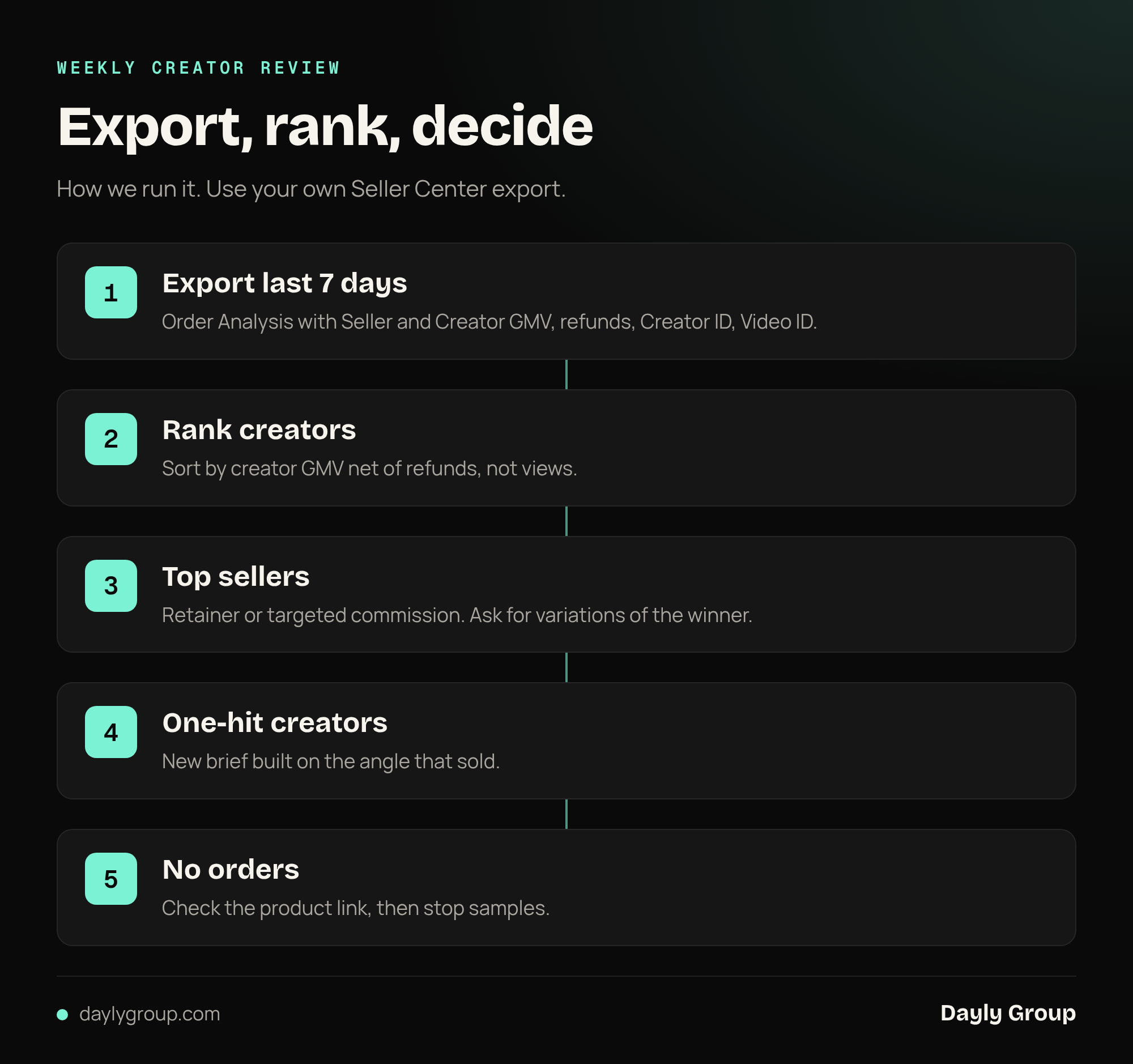
Use Order Analysis as a weekly ops habit, not a one-time curiosity. A practical twenty-minute pass looks like this:
- Lock the definition. Same shop, same paid-time window, same GMV handling notes as last week.
- Read the summary. GMV, SKU orders, items sold. Flag any swing that needs a source split.
- Split Order Source. Seller versus Creator. If creator share jumped, drill before you celebrate or panic.
- Split Content Type. LIVE, Video, Product Card. Match the mix to what you actually posted or booked.
- Check Attributed Type. Direct versus Indirect, using TikTok's on-page rules, not a custom settlement rule you invent in the sheet.
- Export and archive. Month or review-cycle slices keep you inside page export limits. Leave the raw export untouched; put contract math on a separate tab.
If you already track whether the shop is working with leading indicators, Order Analysis is the receipt layer underneath those checks. Pair it with how to tell if your TikTok Shop is working when the weekly story needs both signals and order proof.
How should creator and agency teams use it?
Three scenarios from TikTok's guide map cleanly to brand ops.
Creator contribution. Compare Creator-attributed GMV with Seller-attributed GMV, then drill by Creator ID. Add Refunds and Content Type so volume alone does not define "good." This sits next to how you think about TikTok Shop affiliate commissions and the affiliate program for brands.
Agency LIVE reconciliation. Filter Content Type to LIVE, add LIVE ID and Creator ID, then use Order Source and Attributed Type. Export a traceable order list. Final payout still follows the contract, rates, refund handling, tax, and settlement statements, not the AI Report total.
Seller-owned content mix. Under seller contribution, compare LIVE, Video, and Product Card, then open specific Content IDs. Useful when organic video and LIVE share a shop with paid amplification such as GMV Max.
When weekly GMV swings hard, Order Analysis is also a fast way to see whether the change was content mix, creator mix, or refunds, before you rewrite the whole plan. For the broader "sales spiked then dropped" pattern, see why TikTok Shop sales spike then drop.
What does Order Analysis not replace?
TikTok states the boundary in plain language: Order Analysis does not replace settlement statements, contractual terms, or financial records, and it should not serve as the final settlement basis. AI Report suggestions are suggestions. You still review them against real orders, statements, contracts, and collaboration terms.
Common mismatches TikTok flags:
- Order Analysis GMV differs from another page because reporting time, attribution method, or GMV definition differ. Align Paid Time, order granularity, and how tax, shipping, discounts, and refunds are handled first.
- Order count differs from SKU orders because one order can hold multiple SKUs.
- LIVE totals differ from livestream pages when attribution windows or periods differ.
- One order appears as multiple rows after SKU or content breakdowns. Use Order ID + SKU ID as the composite key.
- Some fields grey out or Export fails when the date range, field combo, or volume exceeds what the page supports.
Contribution math still lives outside this report. Use TikTok Shop fees and the true cost of a sale when you need margin after referral fees and commissions, and GMV Max ROI versus organic sales when paid attribution is in the mix.
FAQ
Q: Where is Order Analysis in TikTok Shop Seller Center? A: Open Seller Center, go to Analytics, then AI Report, and open Order Analysis. Exact labels follow what Seller Center shows for your account, region, and permissions.
Q: Does Order Analysis replace TikTok Shop settlement statements? A: No. TikTok says Order Analysis is for business analysis and reconciliation only. It is not a substitute for settlement statements, contractual terms, or financial records, and it should not be the final settlement basis.
Q: How do I separate seller GMV from creator GMV in Order Analysis? A: Use Order Source for Seller versus Creator, and add Seller-attributed GMV and Creator-attributed GMV when those metrics are available. Then drill with Creator ID, Content Type, and Attributed Type for Direct versus Indirect.
Q: Why does one order show as multiple rows? A: Order Analysis drills to SKU level. An order with multiple SKUs becomes multiple rows, and content or creator dimensions can split rows further. Reconcile with Order ID + SKU ID, not raw row count.
Q: What should I configure for a first weekly review? A: Use a short paid-time range, metrics for GMV, SKU orders, and items sold, details for Paid Time and Refund Time, and breakdowns for Order ID and SKU ID. Spot-check a few orders, then export and archive the filters with the file.
If you want a second set of eyes on how Order Analysis lines up with creator payouts, LIVE delivery, and margin, request the free TikTok Shop Gap Report.
References
- Seller Guide to Order Analysis in AI Report - TikTok Shop Seller University (US), dated October 21, 2026. Primary source for fields, layout, scenarios, and the settlement disclaimer.
- TikTok Shop US sellers gain 9 Compass analytics tools, from ad data to churn - PPC Land coverage of the October "What's New in October: Compass Feature Roundup" for US local sellers. Use while the Seller University roundup page requires a signed-in Academy session; confirm page names in Seller Center.
Keep reading
Book a free Gap Analysis. We'll tell you what's leaking, what's scaling, and where the next 30% lives.
Book a Gap Analysis →